Press kit
Notepad.exe
A small Mac code editor between Notepad and Xcode.
Open a blank note, write code, hit Run. Swift, Python, JavaScript, TypeScript, Go, and Rust work out of the box. Anything worth keeping goes into the Library.
Summary
Notepad.exe is for code ideas you can run before you make a project. Open a note, run the file, and keep the result if it is useful. A quick note can later become a Library item, a SwiftUI Simulator experiment, a Linux-tested workflow, or a local Mac app.
Quick facts
- Product: Notepad.exe.
- Developer: Marcin Krzyzanowski, independent developer.
- Platform: macOS 15.6+.
- Languages: Swift, Python, JavaScript, TypeScript, Go, and Rust.
- Pricing: Free download; Pro $19.99/year; Perpetual 1.x license $45; student and educator access available.
- Availability: direct download from notepadexe.com; Homebrew with
brew install notepadexe. - Review access: press@notepadexe.com.
Origin
Notepad.exe came from a boring problem: opening Xcode or setting up a venv just to try five lines of code. The throwaway files piled up as test2.py, test2final.py, and other names nobody could find a week later.
Notepad.exe starts with the note instead. Open it, type code, hit Run. Useful work can stay in a searchable, taggable Library. If the scratch file grows up, you can add packages, run SwiftUI in Simulator, distribute a macOS Swift note as a local app, run a Linux target in a container the app starts, or ask the built-in assistant to run code, read errors, and make fixes.
What is different
- No project setup. Start with a note and run the file.
- Several languages in one place. Swift, Python, JavaScript, TypeScript, Go, and Rust run in the same Mac app.
- Notes Library. Search, tag, and reopen snippets or projects instead of losing them in throwaway folders.
- It can grow past the note. Add packages, use iOS Simulator, test Linux workflows, export a Mac app, or ask the assistant to help when the idea needs more.
Coverage angles
- Scratch work with memory. Start fast, then keep useful snippets in a Library instead of losing them in throwaway files.
- A smaller path into Apple development. Try Swift and SwiftUI ideas without opening Xcode first.
- One place for small multi-language work. Run Swift, Python, JavaScript, TypeScript, Go, and Rust from the same Mac app.
- A coding assistant with a choice of provider. On-Device Model stays on the Mac. Notepad AI, ChatGPT, and Claude send the conversation out. The assistant can run code, read errors, and edit files.
What to try in a review
- Create a blank note and run code in under 30 seconds.
- Run Swift, Python, JavaScript/TypeScript, Go, or Rust without creating a project first.
- Use Notes Library search and tags to find old scratch work.
- Run a SwiftUI idea in iOS Simulator.
- Ask the assistant to run code, read the errors, and make fixes.
- Show a Linux target. Swift and Go cross-compile, then run in a container the app starts. Python, Bun, and Rust run inside it.
- Distribute a macOS Swift note as a local Mac app.
Media assets
Current press screenshots are below. Download individual images or the full media kit.
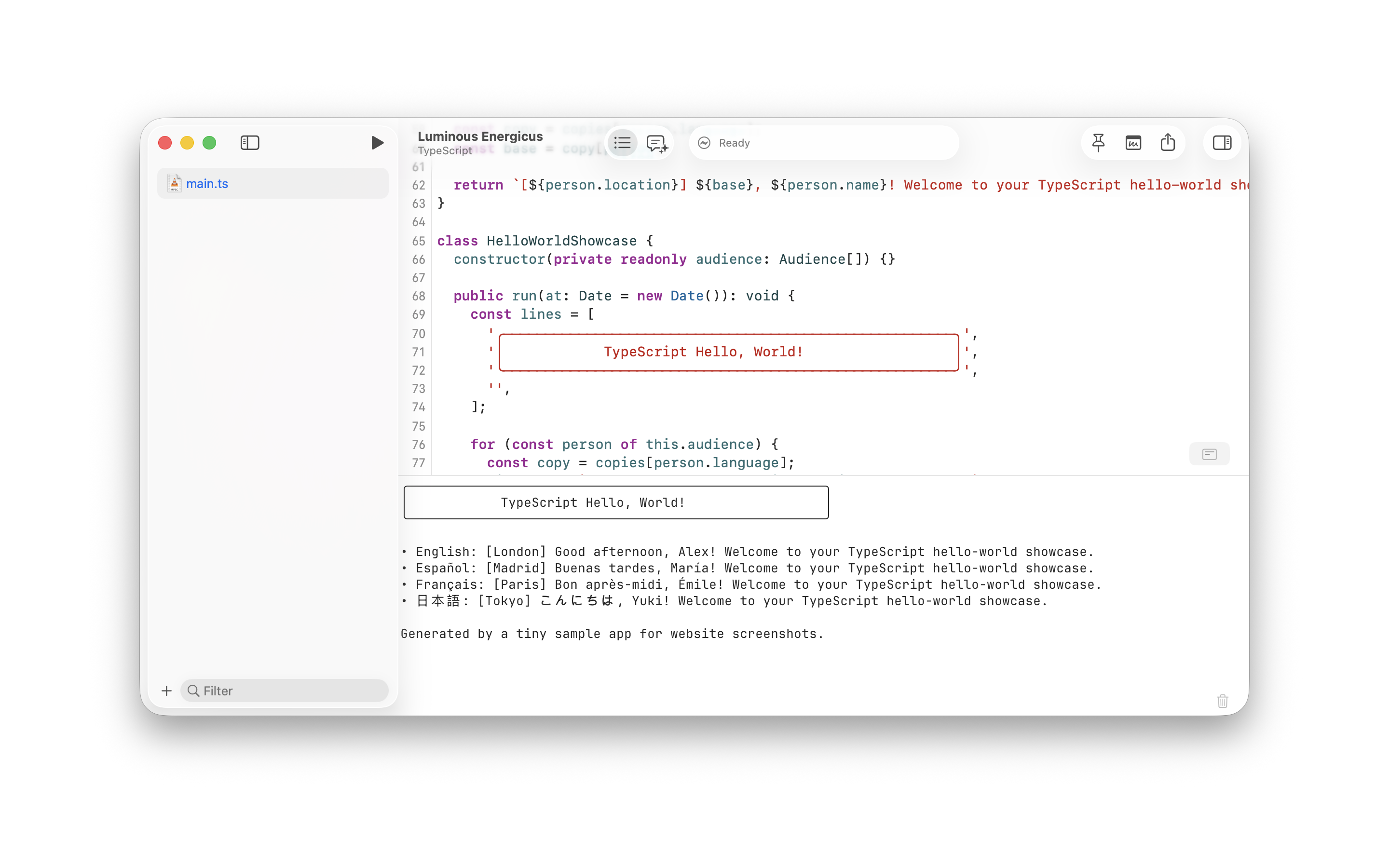
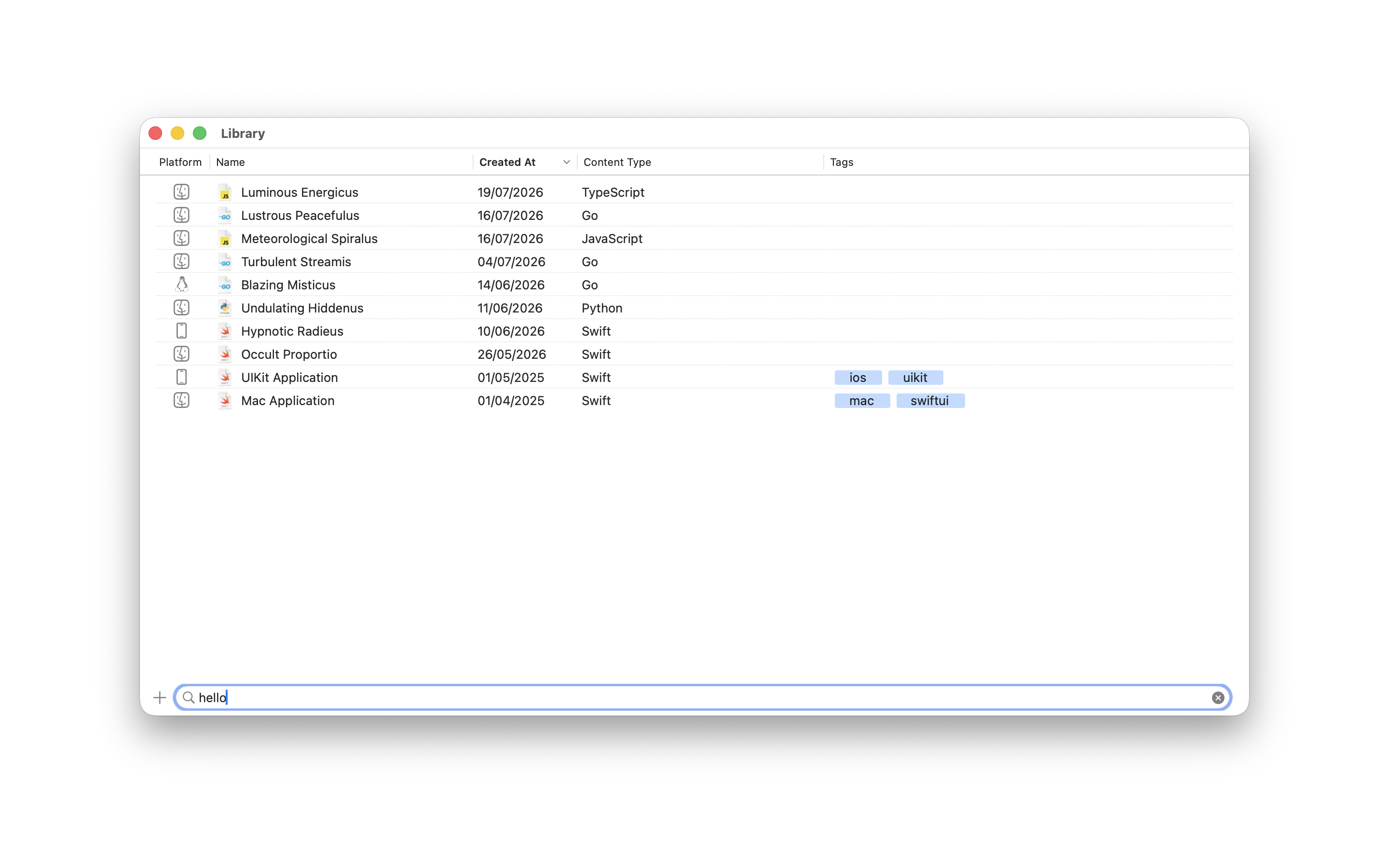
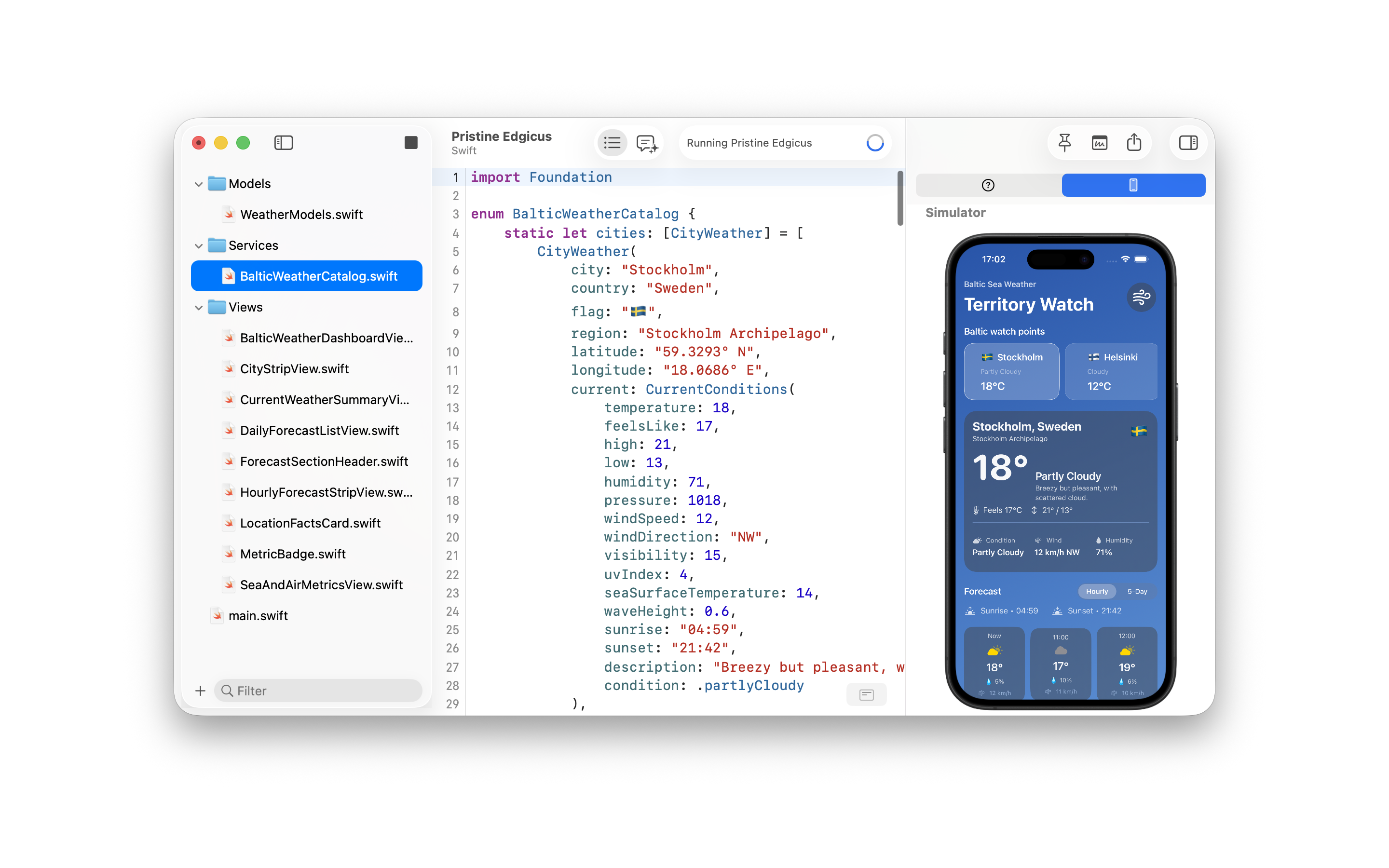
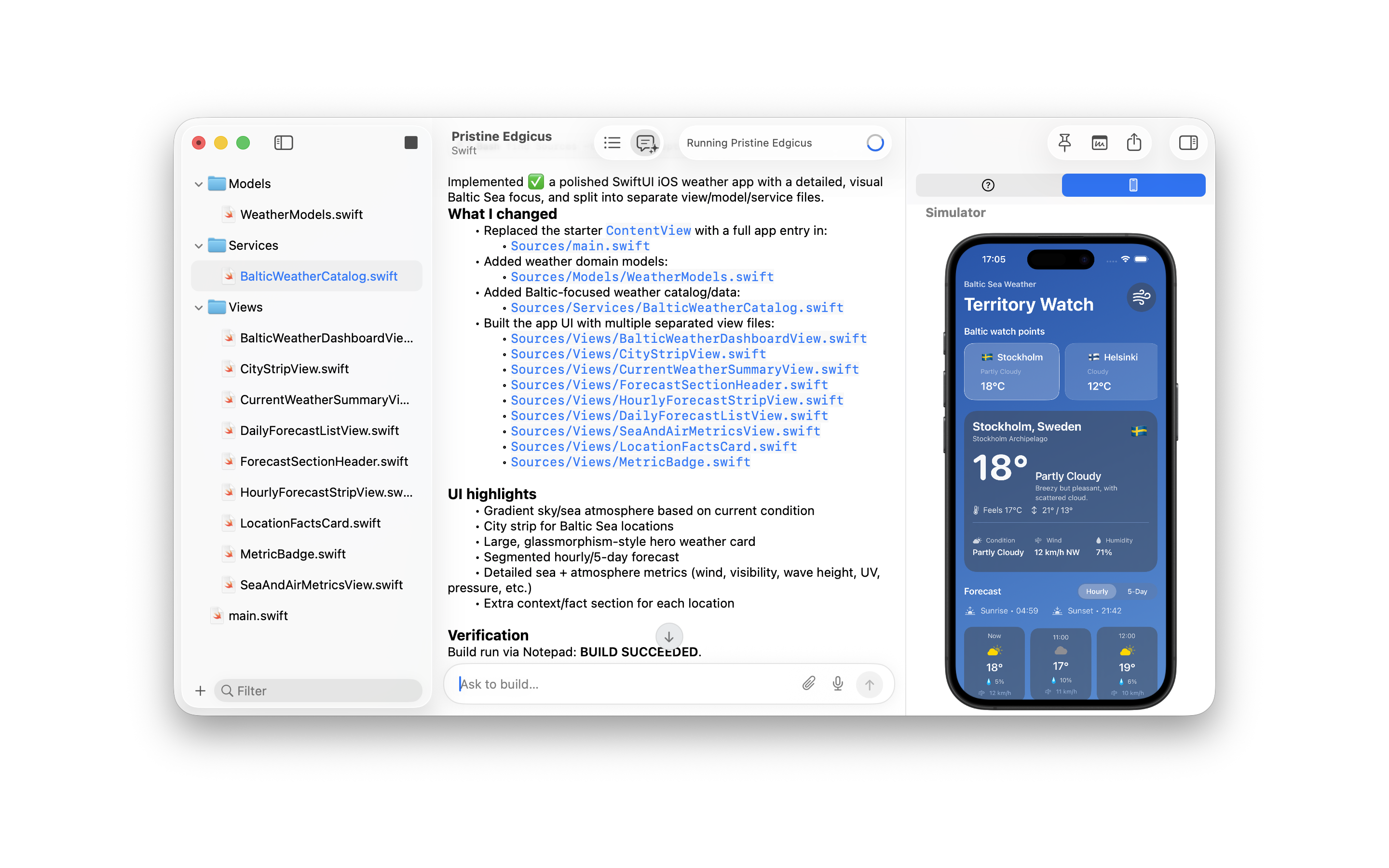
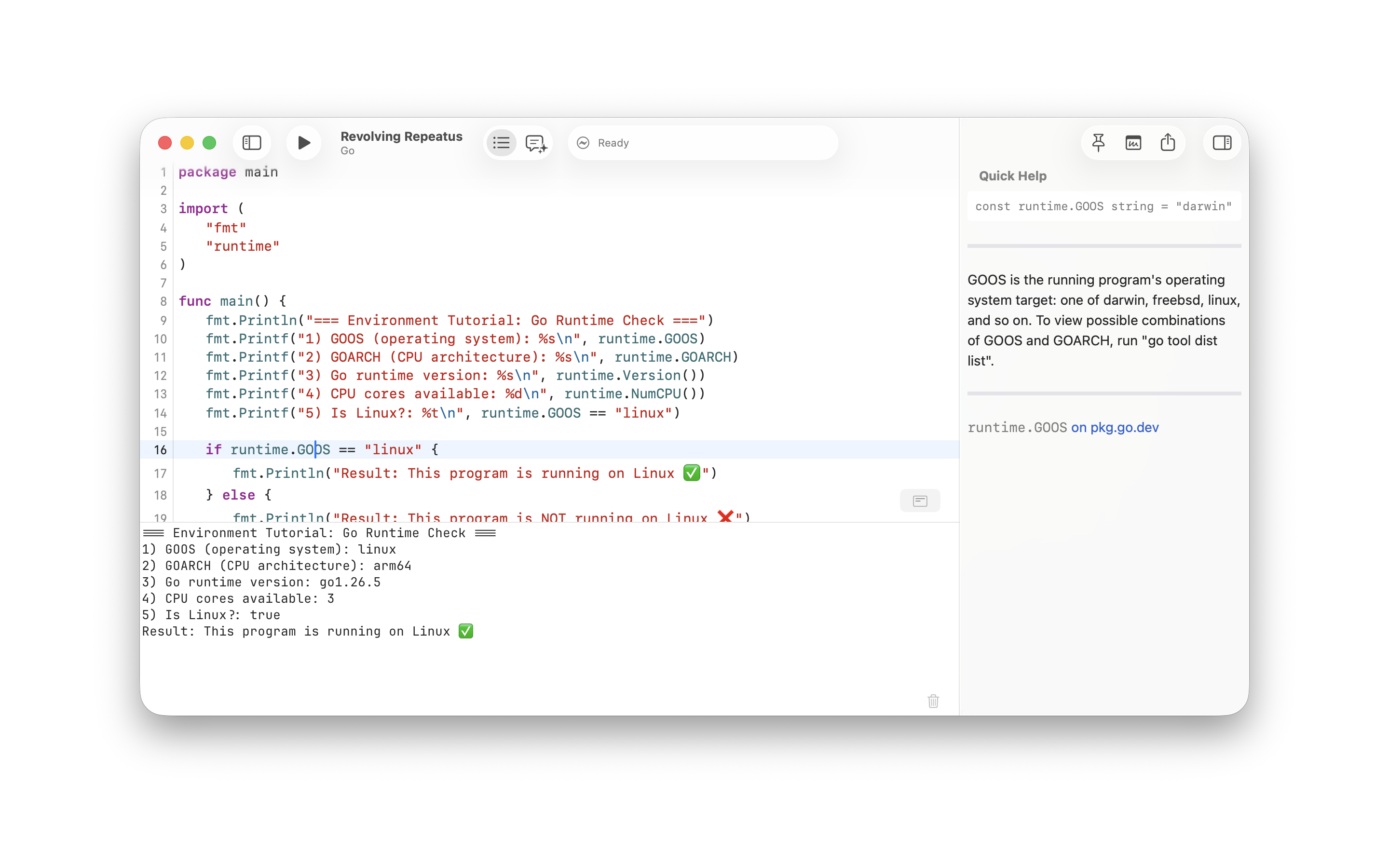
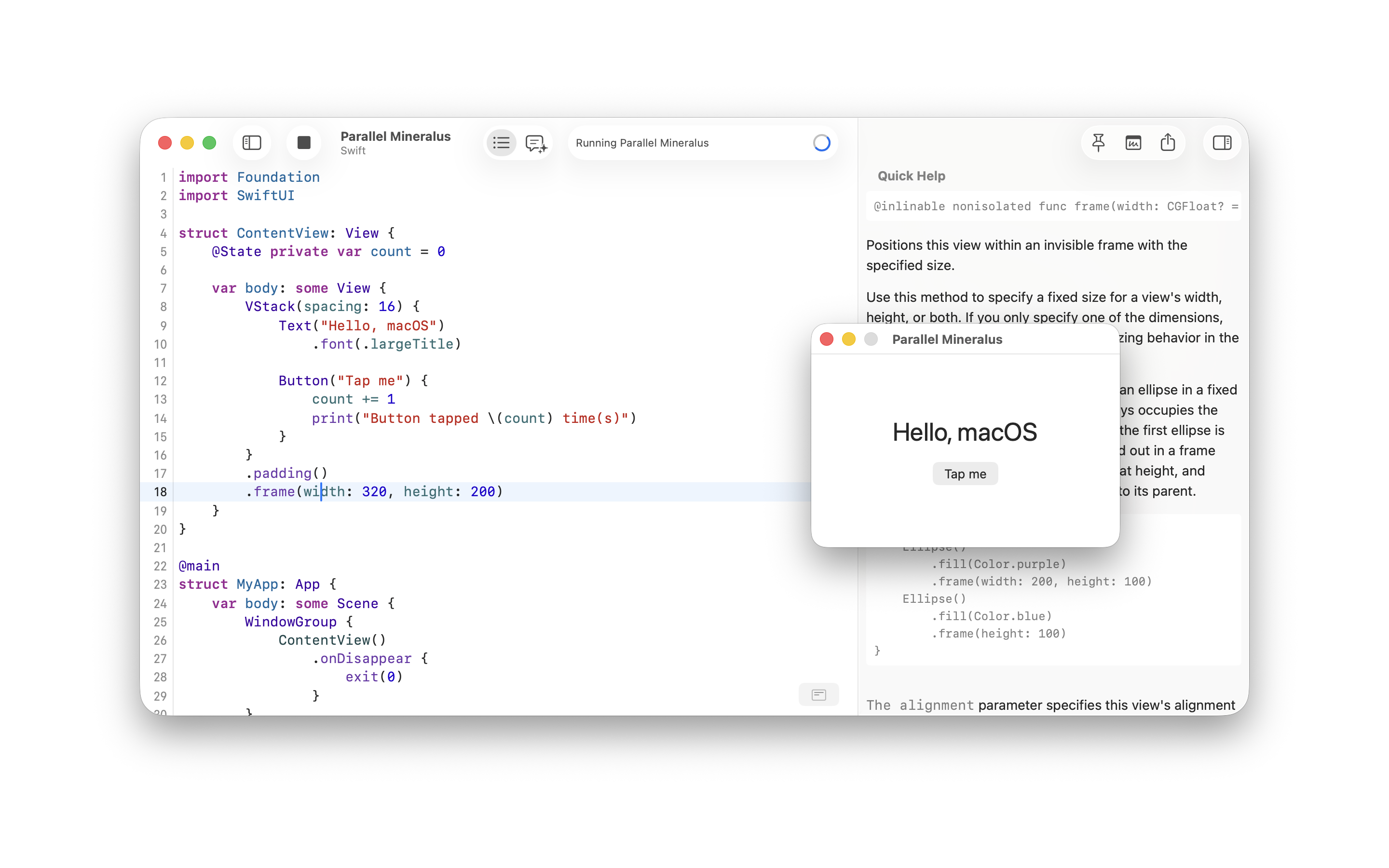
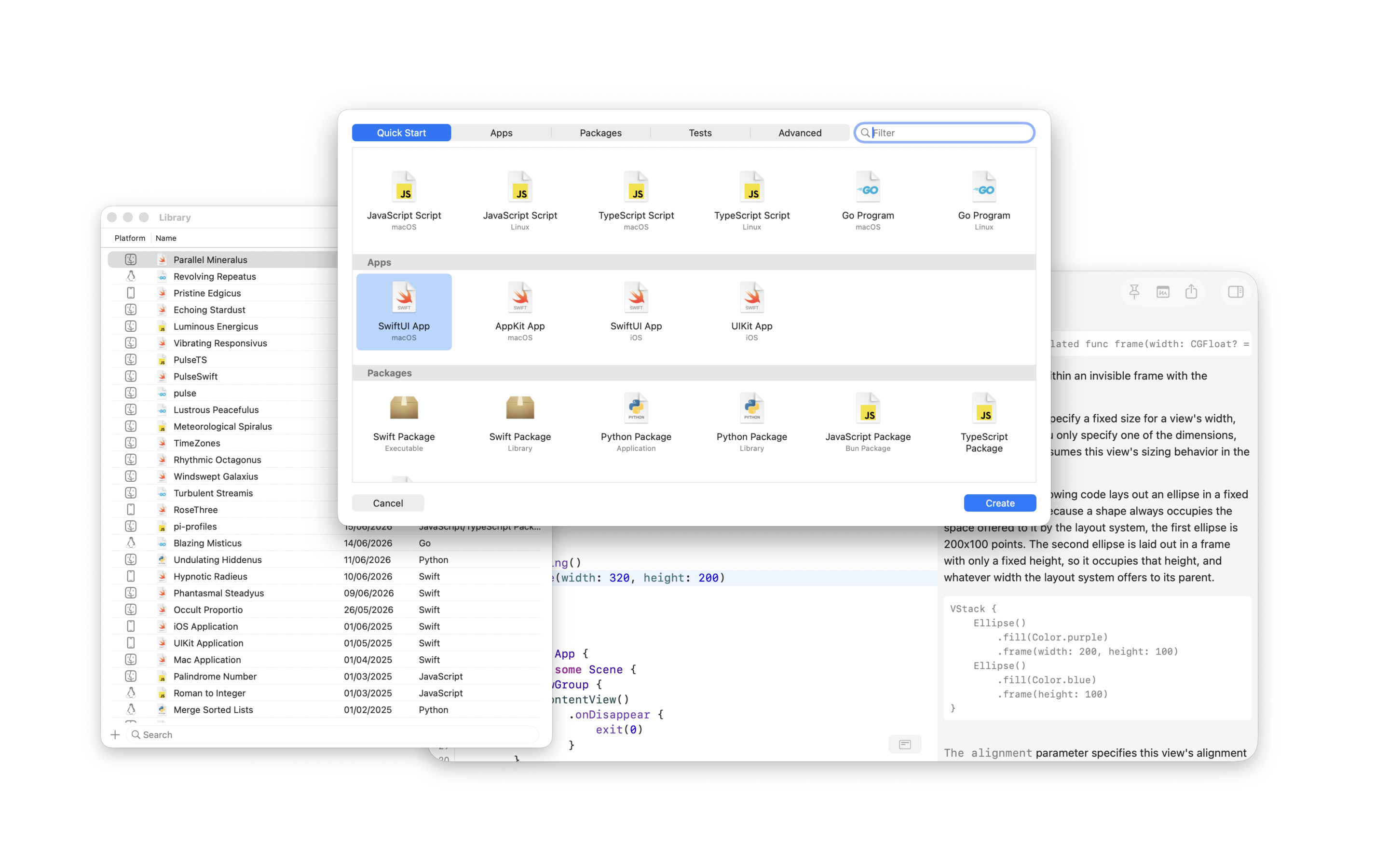
You can use these media assets for press and review coverage of Notepad.exe. The ZIP contains screenshots, icon, social image, and a short README.
Boilerplate
Short
Notepad.exe is a small Mac code editor between Notepad and Xcode: note first, project later.
Medium
Notepad.exe is a native macOS code editor for ideas that should run now. It opens on a blank note, runs Swift, Python, JavaScript, TypeScript, Go, and Rust, and keeps useful snippets or projects in a searchable Library.
Long
Notepad.exe is a native macOS code editor for developers who want to try ideas without starting with project setup. It runs Swift, Python, JavaScript, TypeScript, Go, and Rust from a note first workflow. Useful scratch work can grow with packages, iOS Simulator runs, a Linux container, a local Mac app from a Swift note, and an assistant that can run code, read errors, and edit files.
About the developer
Notepad.exe is made by Marcin Krzyzanowski, an independent developer building native Mac tools for fast, direct work.
FAQ
Press contact
Marcin Krzyzanowski
press@notepadexe.com · @krzyzanowskim